
Convert SIB to JP2

SIB to JP2 with consistent quality. reaConverter handles 3D files in batch — perfect for collaboration across different software.

Need to convert SIB to JP2? reaConverter handles batch conversion with ease, processing hundreds of files at once while preserving quality. Your files never leave your machine. No third-party servers, no privacy concerns. Export 3D models to compatible formats for easy sharing.

SIBJP2

How to Convert Multiple SIB Files to JP2?

1. Download and Install reaConverter

First, grab reaConverter from the download button below. Installation is fast, and the software runs offline — no account or signup needed.

2. Load your SIB files

Launch reaConverter and load the SIB files you want to convert. Add a few files or thousands, batch processing handles them all.

Drag-and-drop SIBs directly into reaConverter or use the folder browser to load entire directories.

Load your SIB files into reaConverter

3. Select JP2 as output format

Set JP2 as output format and select where to save your converted files. Customize quality settings if needed.
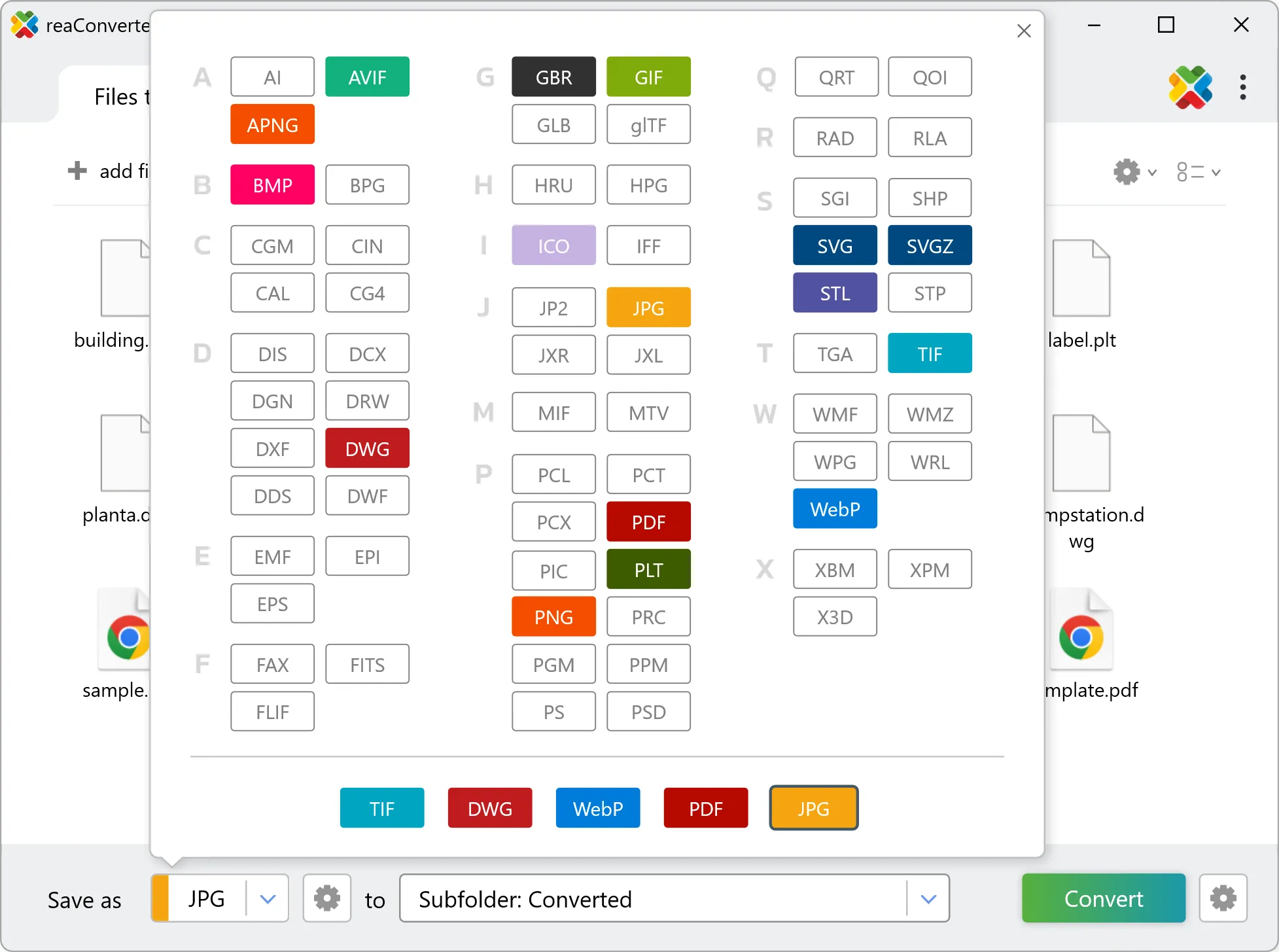
Select JP2 as output format

4. Start SIB to JP2 conversion

Press Convert to begin processing. You can watch the progress or minimize and let it run in the background.

Start Conversion

Your converted JP2 files will appear in the destination folder as soon as processing completes.

SIB to JP2 Converter

reaConverter offers the fastest, simplest solution for converting your SIB files into JP2 in seconds - all files processed on your PC for maximum privacy and speed.

Do more with your files

Converting SIB files for use in a workflow? reaConverter offers many ways to process files, so you can customize them according to your requirements.

Our range of editing options includes auto-processing options such as auto-rotate, auto-crop, watermarking and more. Change Color Space, copy Metadata, set DPI, manage ICC Profile, control Bit Depth.

Image editing

User Reviews

Average User Rating:
Last updated on January 25, 2026
"Creating marketing materials for various platforms requires multiple file versions from single sources. reaConverter's workflow automation lets us generate PNG, JPEG, and SVG variants from AI and PSD files simultaneously. The color profile management ensures brand consistency across all outputs, and the processing speed allows for last-minute changes without delaying deadlines."
Rebecca Turner
Rebecca Turner
Marketing Agency CEO
"I was drowning in mismatched file formats until I found reaConverter. The one-click conversion and editing tools simplified everything, and the pricing is reasonable for small businesses. Now I spend less time troubleshooting and more time growing my brand!"
Emily K.
Emily K.
E-commerce Entrepreneur
"This program is incredibly simple and user-friendly, even beginners can use it with ease. It supports batch processing, works offline, and runs smoothly on my aging Acer Aspire laptop. Best of all, the output quality is outstanding!"
Kevin Harris
Kevin Harris
Happy User
"An ultra-fast solution for minimizing file sizes. The entire conversion process takes just 3 minutes!"
Logan B.
Logan B.
Satisfied Customer
"I use the online converter — it’s quick and hassle-free!"
Jian Wong
Jian Wong
Happy Online User
"Working in a print studio means constantly juggling obscure file formats. I used to waste hours Googling converters or installing random software — until reaConverter became my Swiss Army knife. Install it once, and you're set forever. No internet? No problem!"
Helen Evans
Helen Evans
Satisfied Customer

SIB to JP2 Conversion: FAQ

Can reaConverter convert SIB to JP2?

Yes! reaConverter instantly converts .sib to .jp2 with perfect quality preservation. With its batch processing feature, you can convert multiple files at once in just a few clicks. You can even convert images directly from Windows Explorer using the right-click menu — fast and convenient.

Can I convert SIB to JP2 online?

If you only need to convert a few SIB files to JP2 format, feel free to try our free online free online SIB to JP2 converter — perfect for small batches with no installation needed!

How can I turn SIB files into JP2 on my computer?

The best way to change SIBs to JP2s on your PC is to install a quality piece of software, such as reaConverter. This software is extremely efficient in managing a wide range of batch files conversions, including conversion from SIB to JP2.

How can I automate SIB to JP2 files conversion?

reaConverter supports all the most useful automation features such as right-click сonversion and Watch Folders for the most efficient automated files conversion in any software of this type.

Is there a way to convert SIB files to JP2 using the command prompt?

reaConverter provides full access to all its features via Windows command line, including a high-performance command-line sib to jp2 converter for batch processing.

What else can I do with reaConverter?

Convert PDF filesWatermark photosConvert DICOM filesResize imageSet manual file date

Find out more

Get advanced software for file conversion, processing, and editing, giving you complete, precise control over your work.
reaConverter software

